Log Sensitive Data Scrubbing and Scanning on Datadog
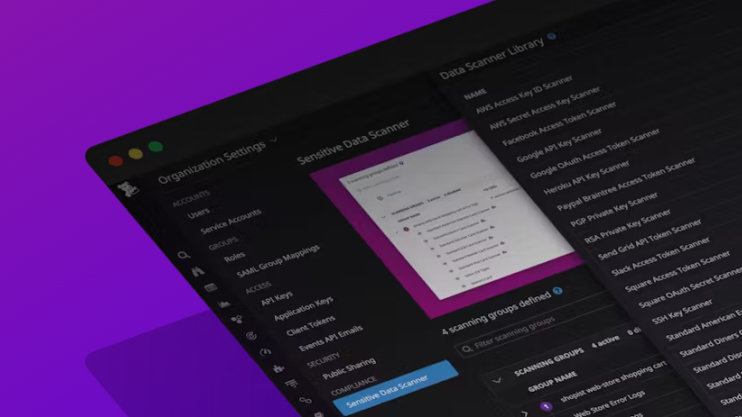
DataDog's comprehensive data protection and privacy features for log management
Table of Contents
Introduction
In today's digital landscape, data security and privacy have become paramount concerns for businesses and individuals alike. With the increasing reliance on cloud-based services and the need to monitor and analyze application logs, it is crucial to ensure that sensitive data remains protected. Datadog offers robust features to help organizations track and analyze their logs effectively. However, it is equally important to understand how to hide sensitive data from logs on Datadog to prevent unauthorized access and potential data breaches. In this blog post, we will explore various techniques and best practices to safeguard sensitive information within your logs while benefiting from the powerful capabilities of Datadog. By implementing these strategies, you can maintain data privacy, comply with regulations, and build customer trust.
Configuring Log Collection to achieve sensitive data scrubbing
As an example, you may hide the IP address from the log entries by adding the following config to the DataDog agent with log collection enabled. We are using a python app and create a file conf.yaml in the conf.d/python.d/ directory with the following content:

DataDog agent configuration showing log processing rules for IP address scrubbing
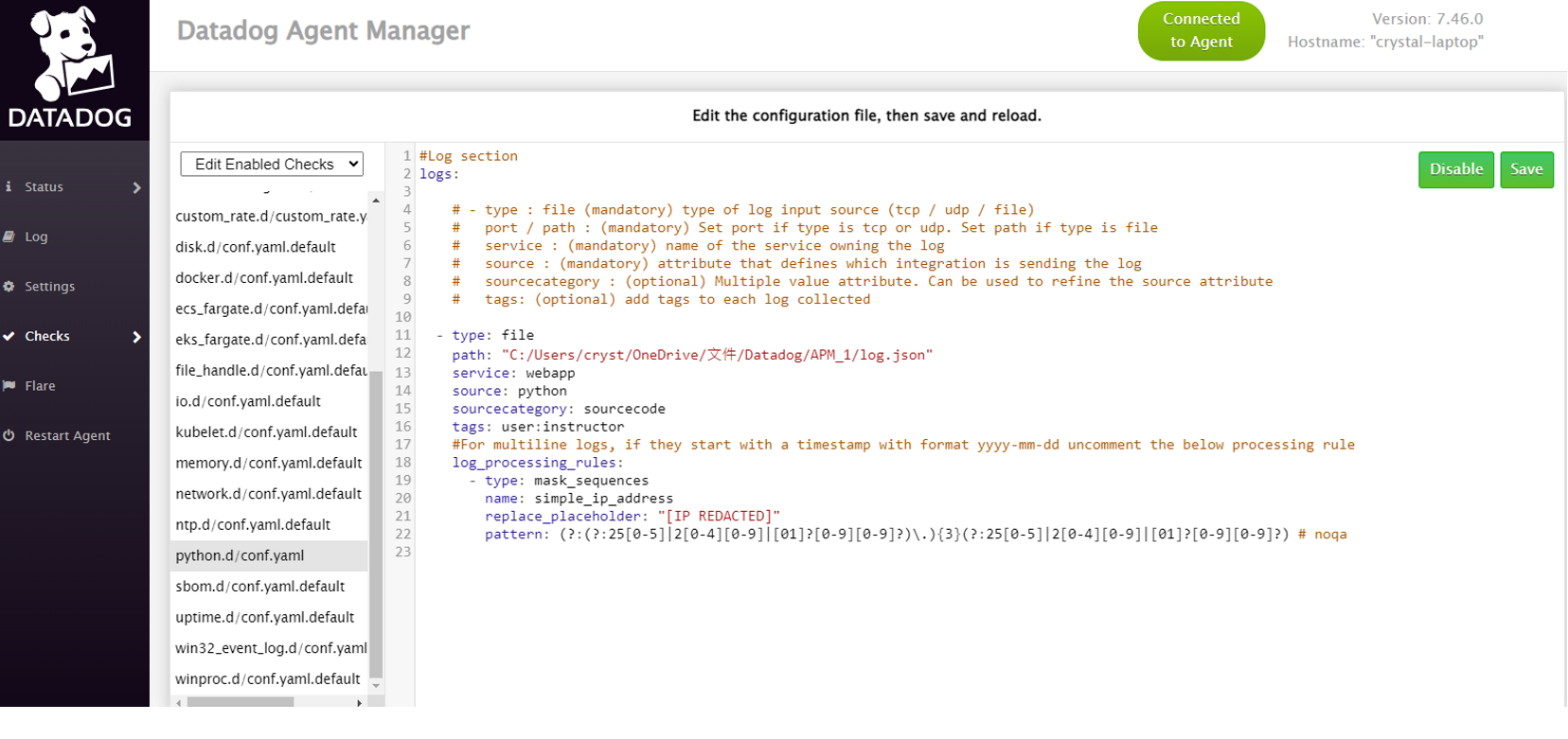
DataDog Agent Manager interface for configuring log collection and processing rules
Restart the agent to pick up the new settings, then check the logs collected on DataDog:
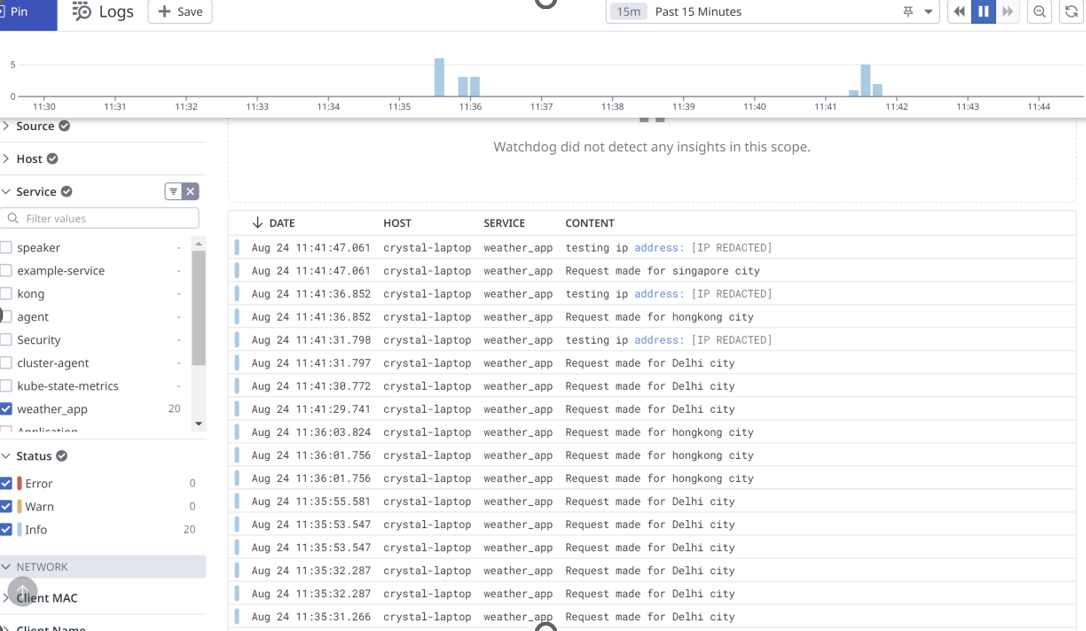
DataDog logs dashboard showing successful IP address masking with [IP REDACTED]
You can see that the IP addresses are hidden on the logs collected on Datadog.
Sensitive Data Scanner on Datadog: Protecting Your Logs
Another feature offered by Datadog to help safeguard sensitive data within logs is the Sensitive Data Scanner. This powerful tool allows you to automatically scan your logs for specific patterns or keywords that may indicate the presence of sensitive information such as credit card numbers, social security numbers, or personal identification information.
The Sensitive Data Scanner works by leveraging regular expressions and predefined patterns to identify and flag any potential matches within your log data. By configuring the scanner to search for specific patterns, you can ensure that sensitive data is promptly detected and appropriately handled.
To use a sensitive data scanner
- Go to the Sensitive Data Scanner page and click on Add a scanning group
- Create scanning rule
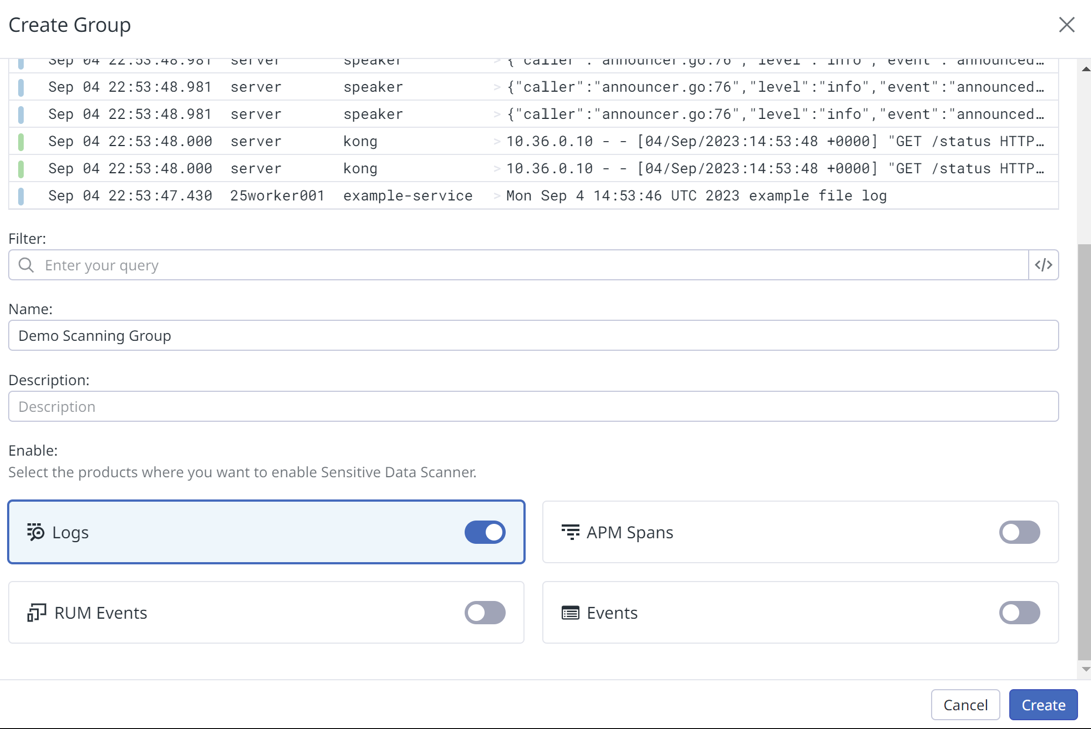
DataDog Sensitive Data Scanner rule creation interface with library rules
Scanning rules are used to identify specific sensitive information within the data. In a scanning group, you can either choose from pre-existing scanning rules in Datadog's Scanning Rule Library or create your own rules using custom regex patterns for scanning.
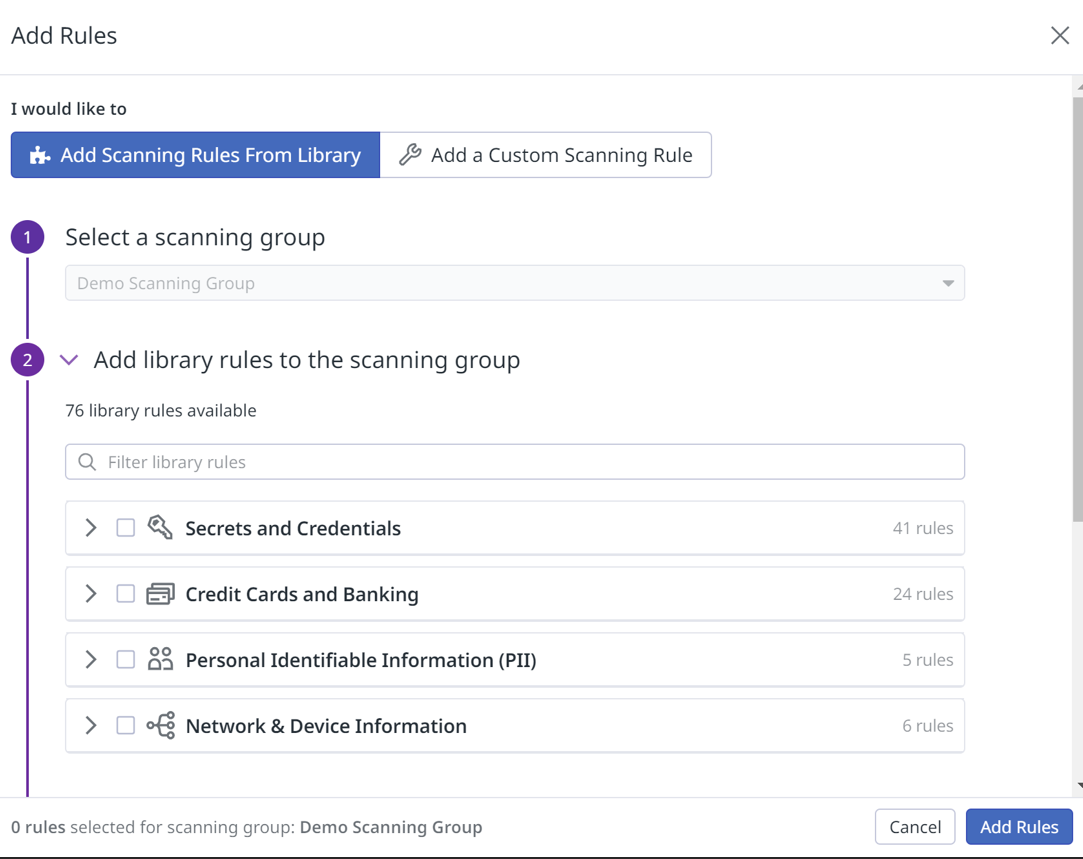
DataDog Sensitive Data Scanner interface with scanning groups and rule library
View out-of-the-box Sensitive Data Scanner Overview Dashboard:
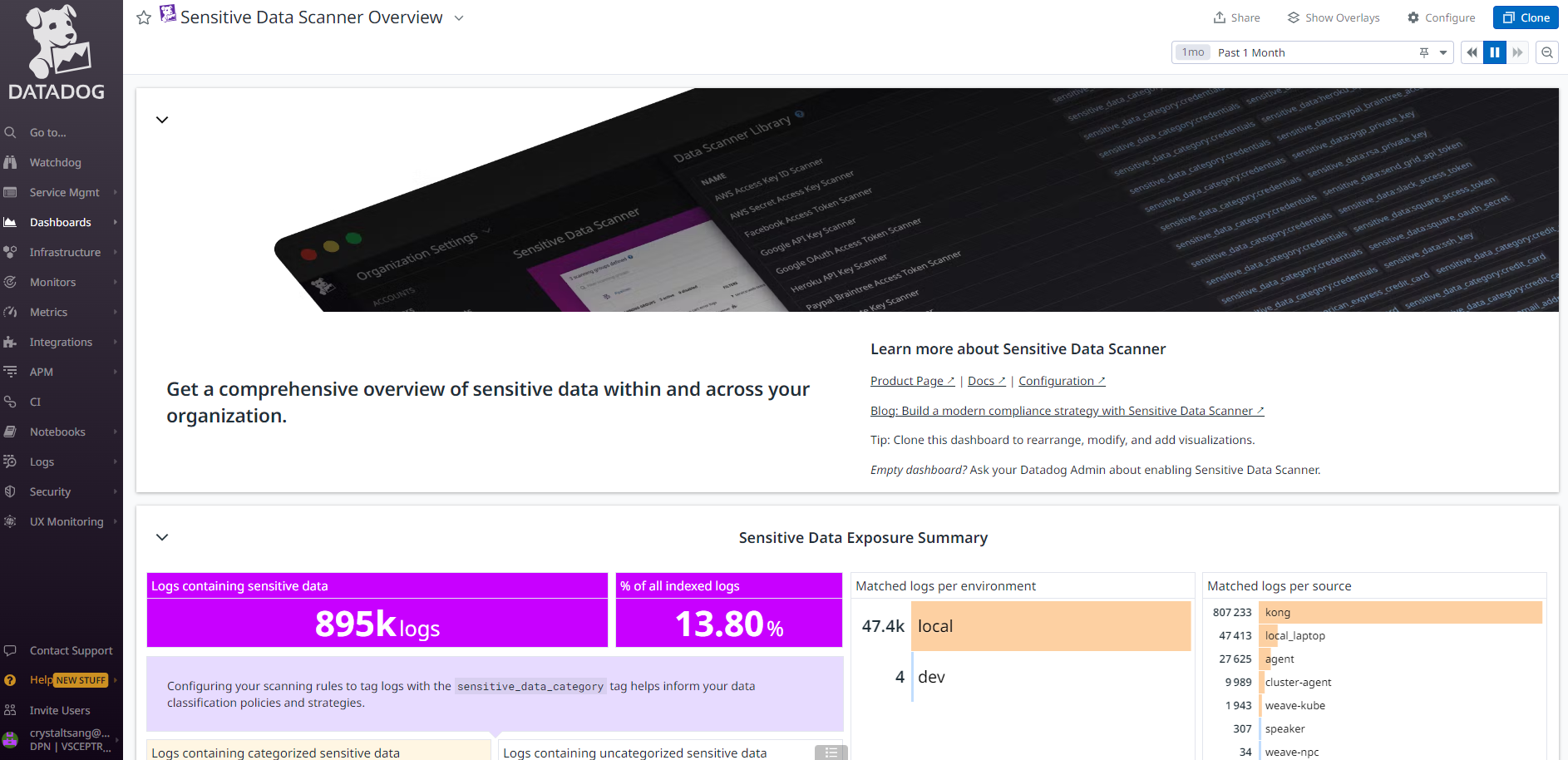
DataDog Sensitive Data Scanner dashboard showing comprehensive overview
Conclusion
In conclusion, implementing log-sensitive data scrubbing and scanning on Datadog is a crucial step toward ensuring data privacy and security. By defining scanning rules and utilizing custom regex patterns, you can effectively identify and protect sensitive information within your logs. With the flexibility and power of Datadog's Scanning Rule Library, you have the tools necessary to safeguard your data and maintain compliance with privacy regulations. Start implementing these practices today to enhance your data protection strategy and gain peace of mind.
Further Readings
- https://docs.datadoghq.com/agent/logs/advanced_log_collection/?tab=configurationfile#scrub-sensitive-data-from-your-logs
- https://www.datadoghq.com/product/sensitive-data-scanner/
About Vsceptre
At Vsceptre, we connect people with technology. Our team of security and observability experts helps organizations implement comprehensive data protection solutions and maintain compliance with data privacy regulations.
Contact our specialist at charliemok@vsceptre.com to arrange a free one-on-one consultation session.
Related Articles
Demystifying Log to Trace correlation in DataDog
If you have a chance to attend any presentation or public seminars from the APM vendors, you may come across some demonstrations of how easily to jump from trace to log or log to trace to diagnose a slow API call.
ObservabilityMonitoring temperature of my DietPi Homelab cluster with Grafana Cloud
At around end of March, I want to get my hands on the old raspberry pi cluster again as I need a testbed for K8S, ChatOps, CI/CD etc.